A fanless mini PC built around the Intel Celeron N3350 is about as modest as a full Windows-capable computer gets, and that is precisely its appeal. These palm-sized boxes are silent, sip power, and cost very little, which makes them a sensible choice for the handful of jobs that need a real x86 machine but nothing close to a gaming rig.

Because the N3350 is a low-power, dual-core chip from Intel’s Apollo Lake generation, expectations matter more here than with almost any other category. Buy one understanding what it is, a light-duty appliance PC, and it can be genuinely useful for years. Buy one expecting a snappy desktop, and you will be disappointed. This guide walks through the specs, the realistic use cases, and the alternatives.
Specifications at a glance
| Specification | Detail |
|---|---|
| Processor | Intel Celeron N3350 (Apollo Lake, 14 nm) |
| Cores / threads | 2 cores / 2 threads |
| Clock speed | 1.1 GHz base, up to 2.4 GHz burst |
| Cache / TDP | 2 MB L2 cache, 6 W TDP |
| Graphics | Intel HD Graphics 500 |
| RAM | Commonly 4 GB or 6 GB (LPDDR4/DDR3L); N3350 supports up to 8 GB |
| Storage | Typically 64 GB eMMC, often expandable via M.2 SATA / microSD |
| Display | HDMI + VGA, dual-screen output, 4K capable (see notes) |
| Networking | Gigabit Ethernet, dual-band 2.4/5 GHz Wi-Fi, Bluetooth 4.2 |
| Cooling | Fanless (silent) |
Exact RAM, storage, port counts and expansion options vary widely between brands such as MINISFORUM, Bmax, KODLIX and others that all use this same chip, so treat the table as typical rather than universal and confirm the specific model.
The processor: what the N3350 can and can’t do
The Intel Celeron N3350 launched in 2016 as an Apollo Lake mobile chip. It has two cores and two threads, a 1.1 GHz base clock that bursts to 2.4 GHz, 2 MB of L2 cache, and a very low 6 W TDP. That last figure is the key to the whole product: because it produces so little heat, it can be cooled without a fan and run silently around the clock.
In practical terms, two cores is the defining constraint. The N3350 is comfortable with sequential, light tasks: writing documents, browsing a modest number of tabs, streaming video, playing back local media, and running simple line-of-business or point-of-sale software. It struggles the moment you ask it to do several demanding things at once, and heavy modern web pages with lots of scripts can feel sluggish. This is not a chip for photo or video editing, serious multitasking, or gaming beyond very old or extremely lightweight titles.
Graphics come from Intel HD Graphics 500. It handles hardware-accelerated video playback well and can drive a 4K display, but with an important caveat: on Apollo Lake, 4K output over HDMI is generally limited to 30 Hz, which is fine for movies but not ideal for a 4K desktop. For smooth desktop use, a 1080p monitor is the sweet spot. It is best to think of the N3350 as a competent media and office engine, not a performance part.
Memory, storage and expansion
Most N3350 mini PCs ship with 4 GB or 6 GB of RAM. The chip officially supports up to 8 GB, so more than that is not possible on this platform. On a lightweight Windows or Linux install, 4 GB is workable but tight; 6 GB gives a little breathing room for browser tabs. Because much of the memory is often soldered, check whether a given model allows any upgrade before buying.
Storage is usually 64 GB of eMMC flash. That is enough for the operating system and a handful of programs, but Windows updates alone can eat into it quickly, so expansion matters. Many of these boxes add a slot for an M.2 SATA 2280 SSD or a microSD card, and most have USB 3.0 for external drives. Adding an SSD is the single most effective upgrade you can make, both for capacity and for responsiveness. If you are reusing an existing M.2 SATA drive elsewhere in your setup, a simple M.2 to SATA adapter can help you shuffle drives between machines. Note that eMMC is slower than a proper SSD, which is part of why these systems can feel less responsive than their spec sheet suggests.
Ports, connectivity and use cases
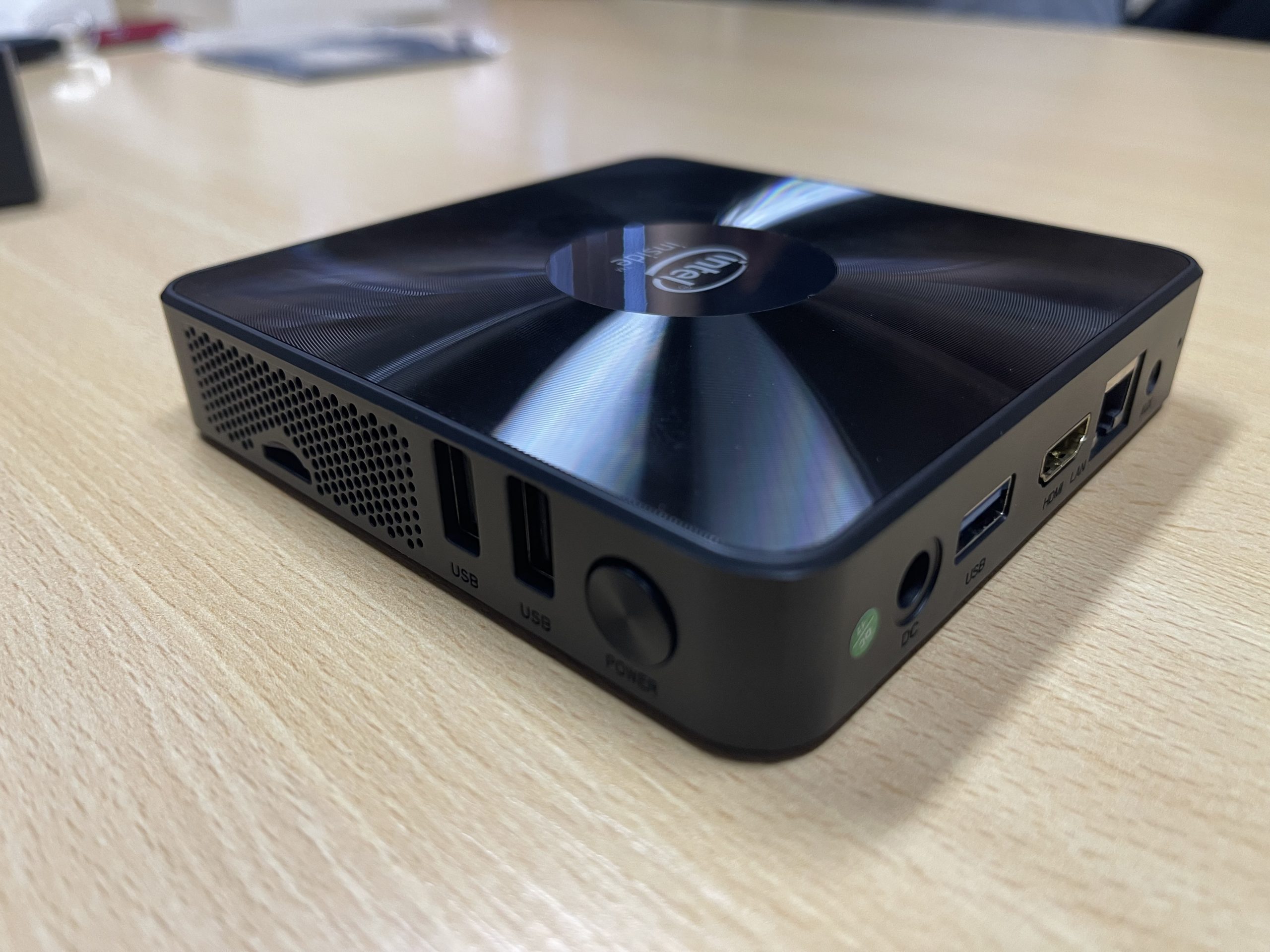
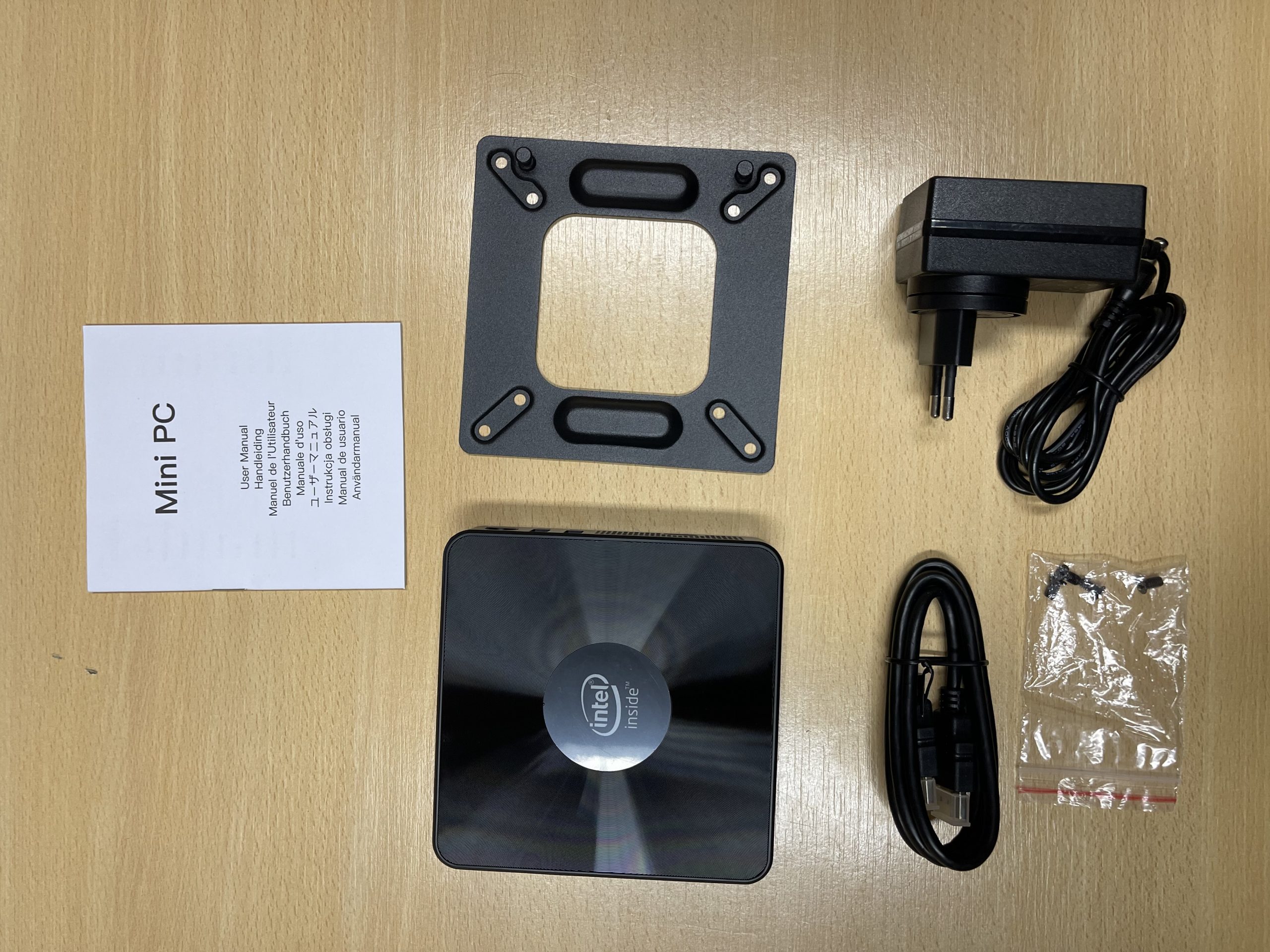
Connectivity is typically generous for the size. Expect HDMI plus VGA (which enables dual-monitor output and makes these boxes friendly to older displays and projectors), several USB ports usually including at least one USB 3.0, gigabit Ethernet, dual-band Wi-Fi and Bluetooth 4.2. That VGA port in particular is why these machines are popular in offices, schools, and digital-signage roles where legacy monitors are still in service.
The realistic sweet-spot uses follow directly from the hardware. An N3350 mini PC makes a fine thin client, a basic office or reception computer, a digital-signage or kiosk player, a light home-theater PC for streaming and local media, or a simple always-on machine for a home lab. Its silence and low power draw are real advantages for anything that runs continuously. Paired with a dedicated streaming device or used as a lightweight desktop, it fills a niche a phone or tablet cannot.
For heavier duty, it is worth comparing against a newer chip. The PELADN WI-6 mini PC, built on Intel’s much faster N95/N100 generation, costs a little more but is dramatically more capable for everyday desktop work. And if your project is more about tinkering, sensors, or a Linux learning platform than running Windows, a Raspberry Pi 3 Model B+ covers different ground at even lower cost.
Pros and cons
Strengths
- Completely silent, fanless operation with very low power draw for 24/7 use.
- Runs full Windows or Linux in a genuinely tiny, wall-mountable form factor.
- HDMI plus VGA makes it friendly to legacy monitors and dual-screen setups.
- Gigabit Ethernet, dual-band Wi-Fi and Bluetooth on board.
- Inexpensive, and usually expandable with an M.2 SSD and external storage.
Limitations
- Only two cores; struggles with multitasking and heavy modern web pages.
- RAM capped at 8 GB by the chip, and often soldered.
- Base 64 GB eMMC fills up fast and is slower than an SSD.
- 4K output over HDMI is typically limited to 30 Hz on this platform.
- Not suitable for gaming, editing, or demanding productivity work.
Who it’s for (and who should look elsewhere)
An N3350 mini PC is a smart, thrifty pick for single-purpose, light-duty roles: a secondary or reception PC, digital signage, a thin client, a basic HTPC, or an always-on utility box where silence and low power matter more than speed. If your workload is genuinely light and you value a tiny, quiet machine, it delivers real value.
Look elsewhere if you want a responsive daily driver. For not much more money, mini PCs built on the Intel N95 or N100, such as the PELADN WI-6 or comparable models from Beelink and GMKtec, offer four modern cores and a far smoother experience. If you need to edit media, run virtual machines, or multitask heavily, skip the Celeron tier entirely and look at Ryzen- or Core-based mini PCs. Match the machine to a modest workload and the N3350 makes sense; overestimate it and you will feel the limits quickly.
Frequently asked questions
Can an N3350 mini PC run Windows 11?
The Celeron N3350 is not on Microsoft’s official Windows 11 supported-processor list, so these machines typically ship with and run best on Windows 10 or a lightweight Linux distribution. Treat Windows 11 as unofficial at best on this hardware.
Is 4 GB of RAM enough?
For very light use it is workable, but 6 GB is more comfortable for browsing with several tabs. The N3350 supports a maximum of 8 GB, and memory is often soldered, so check upgradeability before buying if you want headroom.
Can it play 4K video?
Yes, the Intel HD Graphics 500 can play back 4K video with hardware acceleration. However, 4K output over HDMI on this platform is generally limited to 30 Hz, which is fine for movies but not a smooth 4K desktop. A 1080p monitor is the better everyday match.
Can I add more storage?
Usually yes. Many models include an M.2 SATA slot or microSD reader, and all have USB for external drives. Adding an SSD is the best upgrade for both capacity and speed, since the built-in eMMC is small and comparatively slow.
Is it good for gaming?
Not for modern games. The HD Graphics 500 can handle very old or extremely lightweight titles and emulation of older consoles, but anything demanding is out of reach. This is an office and media machine, not a gaming PC.
Bottom line
A fanless Celeron N3350 mini PC is a quiet, cheap, low-power little computer that shines in light-duty, single-purpose roles and disappoints anyone who asks too much of it. For a signage player, a thin client, a basic office box, or a simple HTPC, it is a sensible buy, especially with an SSD added. If you want a machine that feels genuinely responsive day to day, spend a little more on an N95- or N100-based model instead.