The eufy RoboVac 11S MAX is a deliberately no-frills robot vacuum built around one promise: strong suction and quiet, hands-off cleaning without an app, a subscription, or a learning curve. It is the “MAX” version of eufy’s long-running 11S, the ultra-slim model that helped popularize budget robot vacuums, and the upgrade here is squarely about power, bumping suction to 2000 Pa while keeping the same wafer-thin profile.
This is a robot for people who want floors kept tidy day to day and are happy to press a button on a remote rather than draw no-go zones on a map. It has no Wi-Fi, no camera, and no smart-home voice control. If that sounds like a downgrade, it is also the reason it stays affordable and stays simple, and for a lot of homes that trade is exactly right.
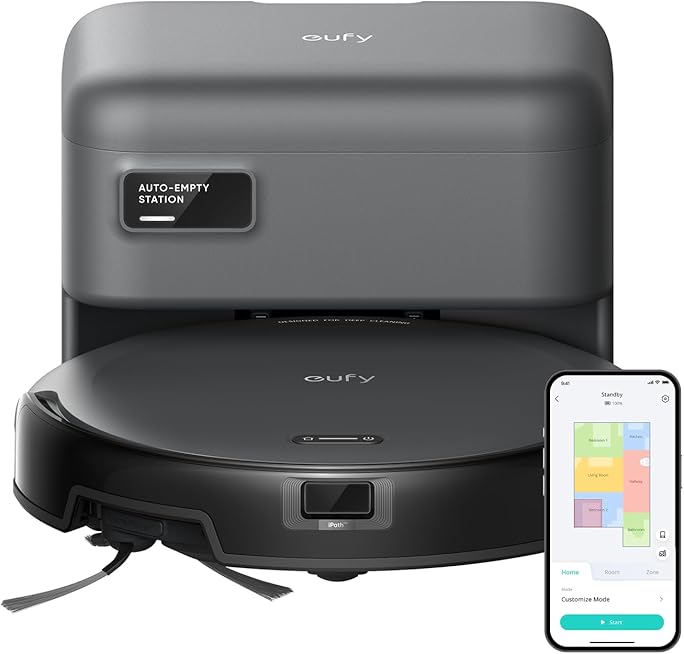
Specifications at a glance
| Specification | Detail |
|---|---|
| Suction power | 2000 Pa (max) |
| Height | 2.85 in (72.5 mm) |
| Footprint | Approx. 12.8 in (325 mm) diameter |
| Dustbin capacity | 0.6 L |
| Battery runtime | Up to ~100 min (standard, hard floors) |
| Charging time | Roughly 5–6 hours |
| Noise level | Around 55 dB |
| Suction boost | BoostIQ (auto power increase) |
| Control | Infrared remote (2 AAA included); on-unit button |
| Connectivity | None (no Wi-Fi, app, or voice control) |
| Navigation aids | Drop/anti-fall sensors, self-charging |
Suction and cleaning performance
The defining upgrade over the standard 11S is suction. The 11S MAX is rated at 2000 Pa, and on paper that puts it comfortably into the range where a budget robot can handle hard floors, low-pile rugs, and medium-pile carpet rather than just skating over crumbs on tile. eufy positions it as suitable for hard floors up to medium-pile carpets, and the higher suction ceiling is what makes that claim credible compared with weaker entry-level bots.
Backing up the raw number is BoostIQ, eufy’s automatic power feature. In its standard cleaning mode the robot runs at a quieter, more efficient level to preserve battery, but when its sensors detect that it has moved from a hard floor onto carpet, or hit a patch that needs more effort, BoostIQ ramps suction up within about a second and a half, then drops back down once the tougher stretch is cleared. The practical effect is that you get extra power where it is needed without running the motor at full tilt (and full noise) the entire time.
Speaking of noise, eufy rates the 11S MAX at around 55 dB in normal operation, roughly the level of a working microwave or a quiet conversation. That is one of the underrated advantages of this class of robot: it is unobtrusive enough to run while you are home, working, or watching TV, rather than something you have to schedule for when the house is empty.
The slim body and how it navigates
The 11S line’s signature trait is its height, and the MAX keeps it: at about 2.85 inches tall it is one of the slimmer robot vacuums you can buy, which lets it slide under sofas, beds, cabinets, and toe-kicks that stop taller, sensor-tower robots cold. If a big reason you want a robot vacuum is to reach the dust that collects under low furniture, this is a genuine strength and a deliberate design choice, protected on top by an anti-scratch tempered-glass cover.
Navigation is where expectations need to be set honestly. This is not a lidar- or camera-mapping robot. It cleans using a semi-random bounce pattern rather than building a map of your home, relying on infrared and drop sensors to avoid stairs and ledges and to feel its way around obstacles. In practice that means it covers open rooms thoroughly over a full cycle but does so in a less methodical, back-and-forth way than premium mapping robots, and it will not remember rooms or let you set virtual boundaries. For a single level of mostly open space, this works well; for a large, complex, multi-room floor plan, a mapping robot will be more efficient.
Battery, dustbin, and running it day to day
Battery life is quoted at up to around 100 minutes on hard floors in standard mode, which is enough for most single-level homes to get a full pass. Heavier work shortens that: running BoostIQ frequently on carpet, or pushing max suction, draws the runtime down, so a carpet-heavy home should expect a shorter cycle than the headline figure. When the battery runs low the robot returns to its dock on its own to recharge, with a full charge taking in the region of five to six hours.
The onboard dustbin holds 0.6 liters, which is typical for the category and means you will empty it every few cleans depending on how much your floors collect (pet hair fills it faster). Maintenance is the usual robot-vacuum routine: empty the bin, clear the brush and side brushes of tangled hair, and periodically clean or replace the filter. Because there is no app, there is also no digital reminder for this; it is on you to keep an eye on it, which is a fair trade for the simplicity.
Controls: remote, not app
This is the point most likely to make or break the purchase, so it is worth being blunt. The 11S MAX has no Wi-Fi, no app, and no Alexa or Google Assistant support. You control it with an included infrared remote (it ships with two AAA batteries) or the button on the unit itself. The remote does let you set a daily schedule, choose cleaning modes, and steer the robot, so you are not limited to a single button, but everything happens in the same room as the robot rather than from your phone while you are away.
For a lot of buyers this is a feature, not a bug: nothing to configure, no account, no privacy questions about a connected device, and no app updates to babysit. If you specifically want to start a clean from work, set up room-by-room automations, or fold the vacuum into a broader connected home alongside something like the Kasa Smart Plug Mini or a TP-Link Tapo C210 camera, then eufy’s own app-enabled models (such as the 15C MAX, which is essentially this robot with Wi-Fi) are the better match.
Pros and cons
Strengths
- 2000 Pa suction with automatic BoostIQ for carpet and tougher patches
- Very slim 2.85-inch body reaches under low furniture other robots cannot
- Quiet operation around 55 dB, fine to run while you are home
- Up to ~100 minutes of runtime with automatic self-charging
- No app, no account, no subscription: genuinely simple to live with
- Anti-scratch tempered-glass top and included IR remote with scheduling
Limitations
- No Wi-Fi, app, or voice control at all
- Random bounce navigation rather than lidar/camera mapping, and no no-go zones
- Runtime drops noticeably on carpet or at max suction
- 0.6 L bin needs regular emptying, especially in pet homes
- Vacuum only, with no mopping function
Who it’s for (and who should look elsewhere)
The 11S MAX is ideal for apartments and single-level homes with a mix of hard floors and lower-pile rugs, for people who value quiet, simple, reliable daily cleaning, and for anyone who would rather not add another connected gadget to their network. It is also a great fit for homes with lots of low furniture, thanks to that slim body, and for buyers who want strong suction on a budget.
Look elsewhere if you need smartphone control, scheduling from away, room mapping, virtual walls, or voice commands, in which case eufy’s Wi-Fi models like the RoboVac 15C MAX or G-series, or mapping robots from brands such as iRobot’s Roomba line and Roborock, are the logical step up. You should also look past it if you want mopping, since the 11S MAX is a pure vacuum. Within eufy’s own catalog, the choice usually comes down to this: the 11S MAX for maximum simplicity and value, or a connected model if app control matters to you.
Frequently asked questions
Does the eufy RoboVac 11S MAX have Wi-Fi or an app?
No. It has no Wi-Fi, no app, and no voice-assistant support. You control it with the included infrared remote or the button on the unit, and the remote can set a daily schedule.
How strong is the suction?
It is rated at 2000 Pa at maximum, and BoostIQ automatically raises suction when the robot moves onto carpet or hits a patch that needs more power, then lowers it again to save battery.
How long does it clean on a charge?
Up to roughly 100 minutes on hard floors in standard mode. Expect less on carpet or when running max suction. It returns to its dock automatically to recharge, which takes about five to six hours.
Can it clean carpet?
Yes, hard floors through medium-pile carpet, helped by the 2000 Pa ceiling and BoostIQ. Very thick, high-pile carpet is challenging for any robot in this class, so set expectations accordingly.
Does it mop?
No. The 11S MAX is a vacuum only. If you want combined vacuuming and mopping, you will need a different model designed for that.
Bottom line
The eufy RoboVac 11S MAX is one of the most sensible budget robot vacuums for anyone who wants clean floors without complexity. Strong 2000 Pa suction with BoostIQ, a slim body that actually reaches under furniture, quiet operation, and self-charging cover the essentials well, and the deliberate absence of Wi-Fi keeps it cheap and painless. The compromises, random navigation, no app, and no mopping, are real but predictable at this price. If you want simple, quiet, effective daily cleaning and can live without smartphone control, it remains a standout value, and it slots easily into a practical smart home that might also include the Kasa Smart Plug Mini and a TP-Link Tapo C210 camera.