If your smart TV is sluggish, missing an app you want, or you simply want a cleaner interface, a dedicated streaming device is one of the cheapest upgrades in home entertainment. Two names dominate the affordable end of that market: the Roku Express 4K+ and the Amazon Fire TV Stick 4K. Both stream in 4K with HDR, both cost roughly the same, and both plug into a spare HDMI port. Yet they take very different approaches to how you find content, who controls the home screen, and how deeply they pull you into a wider ecosystem.
This guide compares the two head to head across the things that actually change day-to-day use: the interface, ecosystem lock-in, the remote, advertising and privacy, supported video and audio formats, and price. If you want the full breakdown of each device on its own, our detailed Roku Express 4K+ review and Amazon Fire TV Stick 4K review go deeper on each one. You can also see how both stack up against the wider field in our roundup of the best streaming devices for home entertainment in 2026.
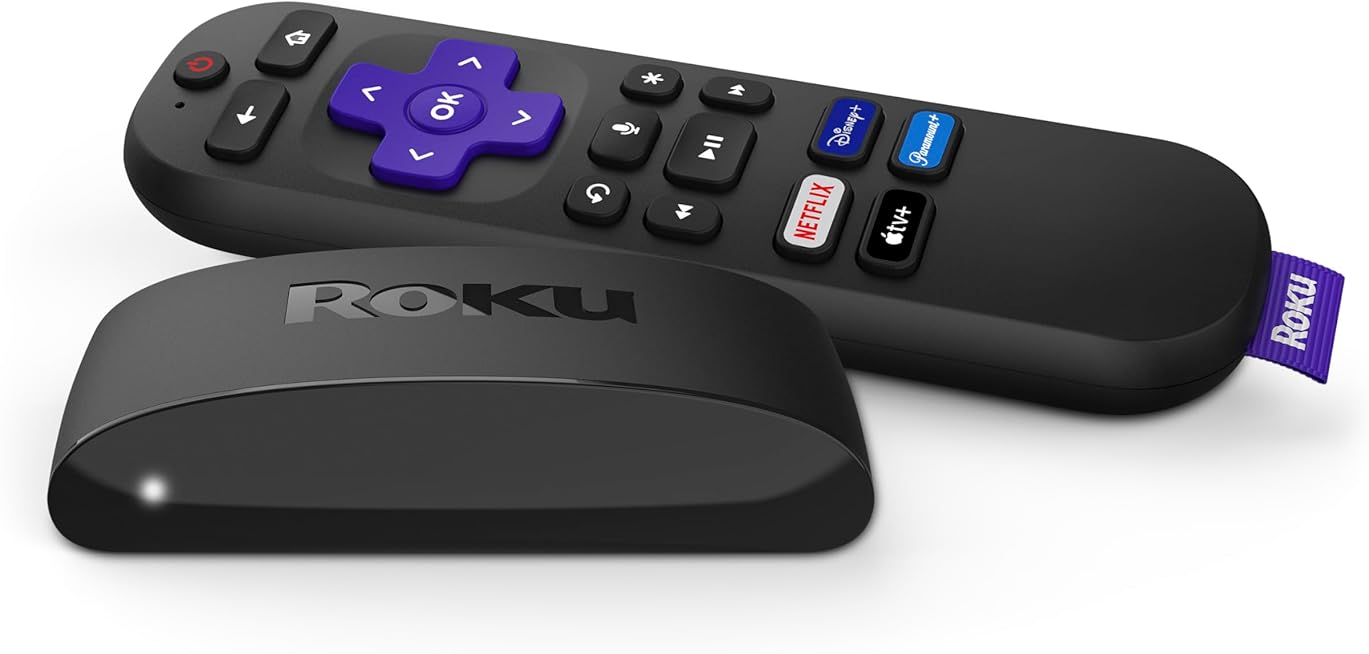
Specifications at a glance
| Feature | Roku Express 4K+ | Amazon Fire TV Stick 4K |
|---|---|---|
| Max resolution | 4K Ultra HD | 4K Ultra HD |
| HDR formats | HDR10, HDR10+ | Dolby Vision, HDR10, HDR10+, HLG |
| Audio | Digital stereo, passthrough (no Dolby Atmos decoding on device) | Dolby Atmos support |
| Wi-Fi | Dual-band Wi-Fi | Wi-Fi 6 |
| Wired Ethernet | Via optional microUSB adapter | Via optional adapter |
| Form factor | Small box + included HDMI cable | Stick that plugs into HDMI directly |
| Voice assistant | Roku Voice | Alexa built-in |
| Platform | Roku OS | Fire OS (Android-based) |
| Price tier | Budget (around $30-$40) | Budget (around $40-$50) |
Interface: neutral grid vs content storefront
The single biggest difference between these two devices is not a spec sheet number, it is what you see when you turn the TV on. Roku OS opens to a plain grid of app icons that you arrange yourself. It is deliberately unopinionated: Netflix, Disney+, YouTube and everything else sit as equal tiles, and the home screen does not try to autoplay trailers or push a particular service at you. For anyone who thinks of a streaming box as a launcher, that simplicity is the whole appeal. It is fast to learn, easy for less tech-savvy household members, and it rarely gets in your way.
Fire OS takes the opposite view. The Fire TV home screen is content-forward, filling the top of the display with a large rotating banner and rows of recommended movies and shows, many of them drawn from Amazon Prime Video and other services Amazon has deals with. When it surfaces something you actually want to watch, it feels helpful. When it is promoting content you have no interest in, it feels like a storefront. Search, on the other hand, is a genuine Fire TV strength: Alexa can pull results across many apps at once, and Amazon has been folding more AI-assisted search into the platform.
Neither approach is objectively right. If you value a calm, predictable launcher, Roku’s grid is the more comfortable place to live. If you watch a lot of Prime Video and like the system suggesting things, Fire TV’s busier layout will suit you better.
Ecosystem lock-in and app support
Both platforms carry all the mainstream apps, so you will not be missing Netflix, Disney+, Max, Hulu, YouTube, Apple TV+, Peacock or Spotify on either. The difference is the gravitational pull toward a parent company. Fire TV is built to keep you inside Amazon’s world: Prime Video content is woven into the home screen and search, your Amazon account is central, and the device is happiest when you already pay for Prime. That integration is convenient if you are an Amazon household and mildly annoying if you are not.
Roku is comparatively neutral because Roku’s business is the platform itself rather than a subscription video service. It still has commercial interests, chiefly The Roku Channel (its own free, ad-supported streaming service) and the ads on its home screen, but it is not steering you toward a single paid subscription the way Amazon does. If you want a box that treats every app as a guest rather than favoring the host, Roku has the edge. If you are deep into Amazon already, the lock-in works in your favor.
The remote
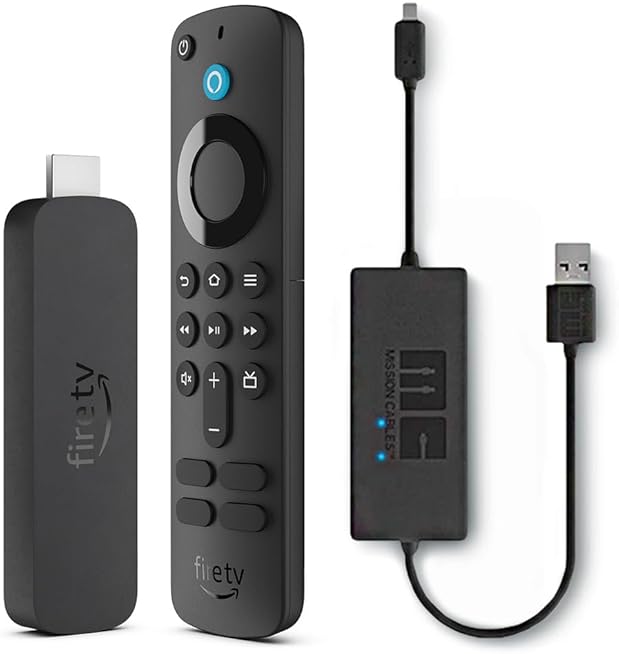
Both devices ship with a compact voice remote that can also control your TV’s power and volume, which means you can retire the original TV remote for most tasks. The Roku Voice Remote lets you launch apps and search by voice and includes those TV controls. The Alexa Voice Remote that comes with the Fire TV Stick 4K goes a step further by adding dedicated preset buttons for services such as Netflix and Prime Video, plus full Alexa voice control that ties into the wider Alexa smart-home ecosystem, so you can ask it to show camera feeds or control smart devices.
Which remote is better depends on how much you want a voice assistant involved. Alexa is more capable and more deeply integrated than Roku Voice, and the shortcut buttons are handy if you always land on the same couple of apps. Roku’s remote is simpler and less chatty, which some people prefer. Both are small, both control the TV, and both are easy to replace if lost.
Advertising and privacy
This is where a buyer should go in with eyes open, because neither device is a privacy haven. Both Roku and Amazon place ads on the home screen, and both use automatic content recognition and viewing data as part of their advertising businesses. That is a large part of how these boxes stay so cheap. Roku is particularly known for the ad tile that occupies a corner of its home screen, while Fire TV surfaces sponsored content within its recommendation rows and banner.
On both platforms you can dig into the settings to limit ad tracking, reset your advertising identifier, and reduce some personalization, though you cannot remove advertising entirely. If minimizing data collection matters to you, read each platform’s privacy settings carefully after setup and turn off what you can. It is worth noting that this is an industry-wide pattern at this price point rather than a flaw unique to either brand; premium devices are not necessarily cleaner.
Video and audio formats: the deciding factor for home theaters
For picture and sound quality, the Fire TV Stick 4K has a clear technical advantage. It supports Dolby Vision, HDR10, HDR10+, and HLG on the video side, plus Dolby Atmos audio passthrough. The Roku Express 4K+ handles HDR10 and HDR10+ but does not support Dolby Vision. If you own a TV and subscriptions that use Dolby Vision, and especially if you have an Atmos-capable sound system, the Fire TV will make fuller use of that hardware.
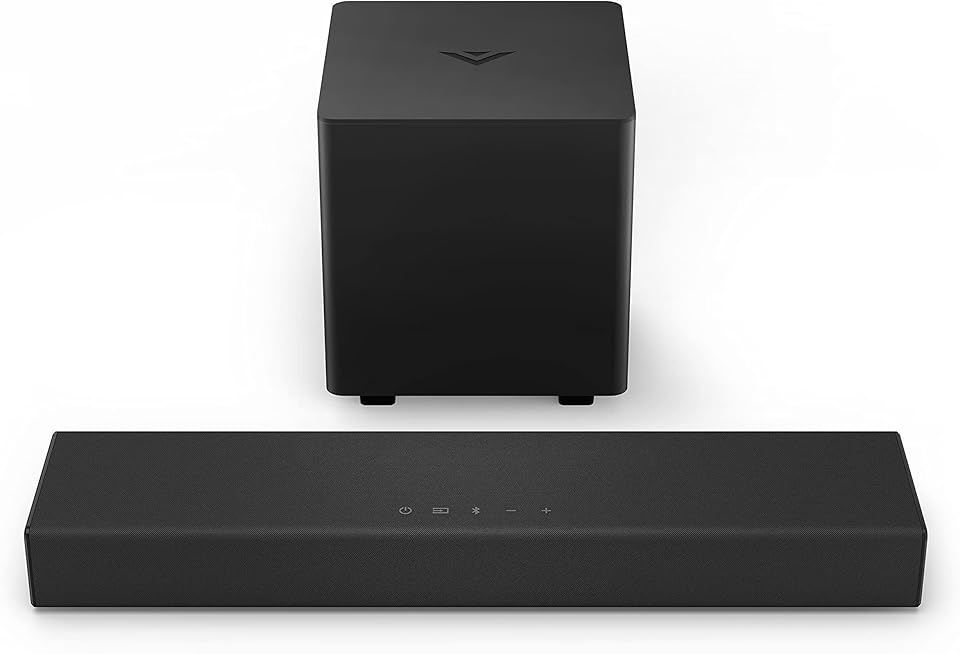
How much this matters depends on your setup. On many mid-range TVs the difference between HDR10+ and Dolby Vision is subtle, and plenty of content is mastered in HDR10 anyway, so the Roku will look excellent for most viewers. But if you have invested in a capable TV and a soundbar or receiver, format support is a real reason to lean toward the Fire TV Stick 4K. Pairing either streamer with a dedicated speaker also lifts the audio well beyond built-in TV speakers; our VIZIO V-Series 2.0 sound bar review covers an affordable option that complements a 4K streaming setup nicely.
Connectivity is a smaller but related point. The Fire TV Stick 4K includes Wi-Fi 6, which helps maintain stable 4K streams on a busy home network, while the Roku Express 4K+ uses dual-band Wi-Fi. Both can be wired to Ethernet with an optional adapter if your Wi-Fi is unreliable, which is worth doing for consistent 4K playback.
Price and value
Both devices live firmly in budget territory and frequently go on sale, particularly around major shopping events, when either can drop well below its list price. As a rule the Roku Express 4K+ tends to sit a little lower, and the Fire TV Stick 4K a little higher, but the gap is small and sale pricing scrambles it regularly. Neither is a bad value; the question is which trade-offs you prefer rather than which is cheaper.
Pros and cons
Roku Express 4K+ strengths
- Clean, neutral home screen that does not push one paid service
- Very easy for anyone to learn and navigate
- Includes an HDMI cable and a small box design that hides behind the TV
- Simple voice remote with TV power and volume control
Roku Express 4K+ limitations
- No Dolby Vision support
- Home-screen advertising and viewing-data collection
- Dual-band Wi-Fi rather than Wi-Fi 6
Amazon Fire TV Stick 4K strengths
- Full format support including Dolby Vision, HDR10+ and Dolby Atmos
- Wi-Fi 6 for steadier streaming on busy networks
- Capable Alexa voice control and cross-app search
- Remote shortcut buttons for popular apps
Amazon Fire TV Stick 4K limitations
- Busy, Amazon-centric home screen
- Stronger pull toward Prime Video and the Amazon ecosystem
- Advertising and viewing-data collection, like its rival
Who should buy which
Choose the Roku Express 4K+ if you want the simplest possible experience, a neutral launcher that treats every app equally, and a box that is genuinely easy for the whole household, including less tech-comfortable relatives. It is the better pick when you do not need Dolby Vision and just want reliable 4K HDR streaming with minimal fuss.
Choose the Amazon Fire TV Stick 4K if you already pay for Amazon Prime, want the best format support on a budget, care about Dolby Vision and Atmos, or want Alexa woven into your living room. It rewards people who are comfortable inside Amazon’s ecosystem and have a TV or sound system good enough to show off the extra formats. If neither feels like a perfect fit, the alternatives in our streaming devices roundup, including higher-end Roku and Google TV options, are worth a look.
Frequently asked questions
Does the Roku Express 4K+ support Dolby Vision?
No. The Roku Express 4K+ supports HDR10 and HDR10+, but not Dolby Vision. If Dolby Vision is a priority, the Fire TV Stick 4K supports it, or you would need to step up to a higher-end Roku model that lists Dolby Vision.
Do I need an Amazon Prime subscription to use the Fire TV Stick 4K?
No, you do not need Prime to use the device or to install other apps like Netflix or Disney+. However, the home screen and search are built around Amazon’s content, so the experience is noticeably better and more integrated if you are a Prime member.
Can I stop the ads on these devices?
You cannot remove home-screen advertising entirely on either platform, but both let you limit ad tracking and reset your advertising identifier in the settings menu. Reviewing the privacy settings right after setup is the best way to reduce personalized data collection.
Which one is easier for a non-technical person?
The Roku Express 4K+ is generally the friendlier choice for non-technical users thanks to its simple grid of apps and uncluttered layout. Fire TV is more capable but presents more on screen at once, which can feel busier to newcomers.
Do both work with my existing TV remote or replace it?
Both include a voice remote that can control your TV’s power and volume, so in most cases you can set the original TV remote aside for everyday use and rely on the streaming device’s remote instead.
Bottom line
These two streamers are closer in price and core ability than their different personalities suggest. The Roku Express 4K+ wins on simplicity and neutrality, making it the easy recommendation for people who want a clean launcher and reliable 4K HDR without being nudged toward any one service. The Amazon Fire TV Stick 4K wins on format support and smarts, making it the better buy for Prime members and anyone with a TV and sound system worth feeding Dolby Vision and Atmos. Decide which of those trade-offs matters more to you, and either one will be a cheap, worthwhile upgrade over a slow built-in smart TV interface.