A great living-room setup is no longer the preserve of people with deep pockets and an equipment rack. With a smart streaming device, a compact soundbar, and a little attention to your network and cables, you can turn an ordinary TV into a genuinely enjoyable home theater for a modest outlay. The trick is spending in the right order, and not paying for features you cannot actually use.
This guide walks through building a budget entertainment setup step by step: choosing a streaming device, adding a soundbar to fix the one thing every flat TV gets wrong, sorting out the Wi-Fi and cables that quietly make or break 4K playback, and understanding what “4K HDR” really requires so you buy the right box the first time. Throughout, we point to specific product reviews so you can see how each decision looks in practice.
Step 1: Choose a streaming device (the brain of the setup)
Even if your TV is “smart,” a dedicated streaming stick or box is usually the best first upgrade. Built-in TV software tends to get slow and neglected after a couple of years, while a $30-$50 streamer gives you a faster interface, more apps, better remotes, and longer software support. This is the single highest-impact purchase in a budget build.
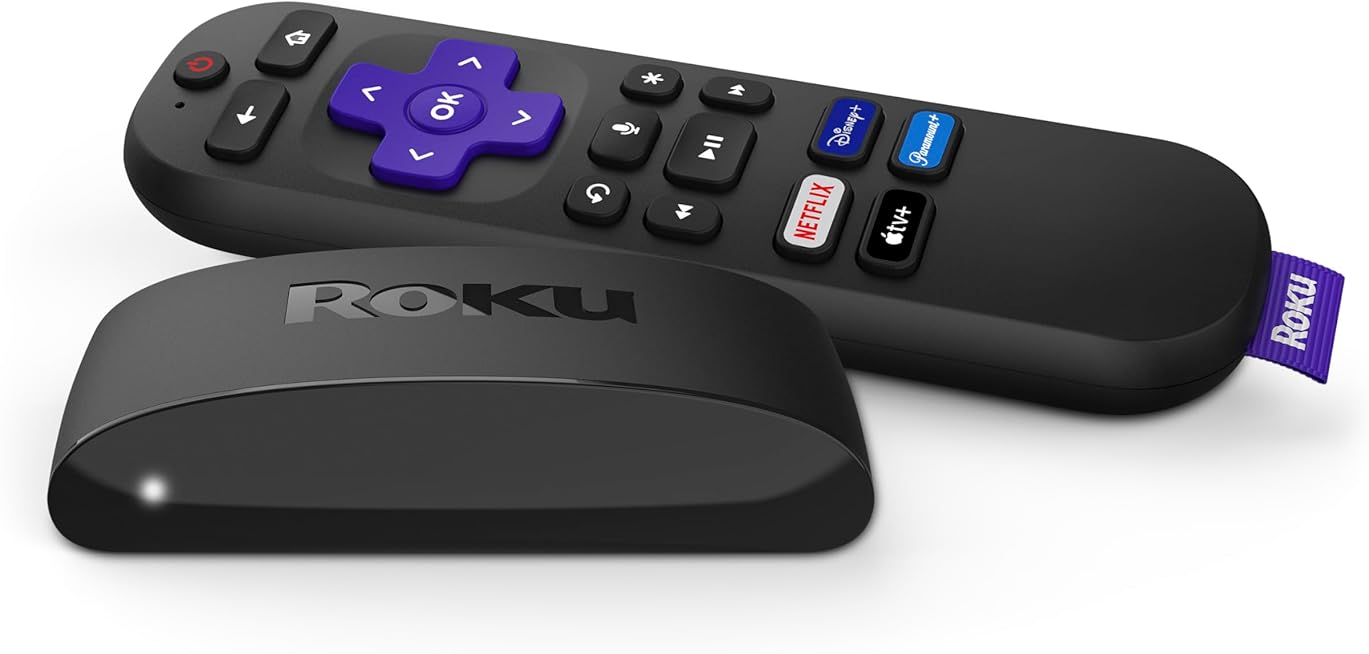
Two devices anchor the affordable end. The Roku Express 4K+ streams in HD, 4K, and HDR (supporting HDR10 and HDR10+), and ships with a voice remote that includes TV power and volume controls. Roku’s interface is famously simple and platform-neutral, it does not push you toward one company’s content, and the box even includes a premium HDMI cable in the package. Notably, the Express 4K+ does not support Dolby Vision or Dolby Atmos, which for a budget-focused buyer is often a non-issue, but it is the kind of detail worth knowing before you buy.
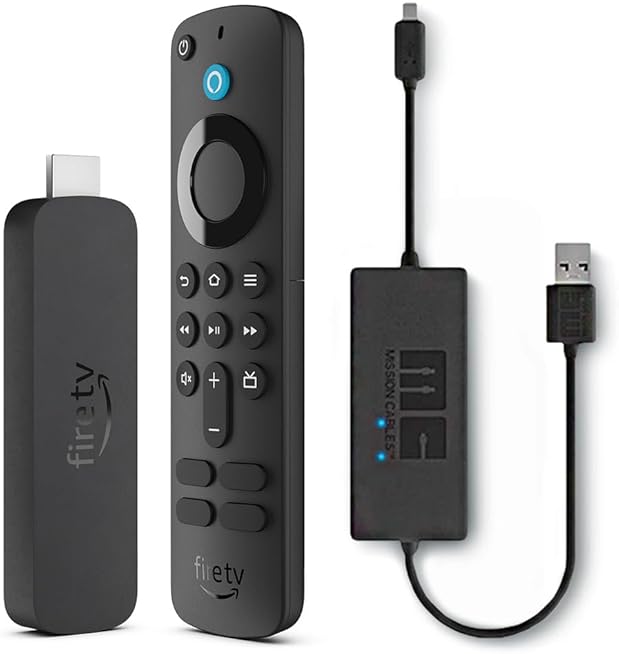
The Amazon Fire TV Stick 4K takes a different tack. It supports the full premium format stack, 4K with Dolby Vision, HDR10+, HDR10, and Dolby Atmos audio, runs on a quad-core 1.7 GHz processor, and adds Wi-Fi 6 for steadier streaming when your network is busy. Its Alexa Voice Remote has power and volume buttons and deep voice search. The trade-off is that Fire OS leans heavily into Amazon’s ecosystem in its interface.
Which to pick comes down to priorities: choose the Roku for the cleanest, most neutral interface and effortless setup, and the Fire TV Stick 4K if you want Dolby Vision and Atmos support or you are already invested in Alexa and Prime Video. If you would like to weigh more options side by side, our roundup of the best streaming devices for home entertainment in 2026 compares the current field in detail.
Step 2: Fix the sound with a soundbar
Here is the upgrade people underestimate. Modern TVs are so thin that there is no room for decent speakers, so even an excellent 4K picture is paired with thin, boxy audio and muddy dialogue. A soundbar is the cheapest way to fix the biggest weakness in almost every TV, and the improvement is immediate and obvious.
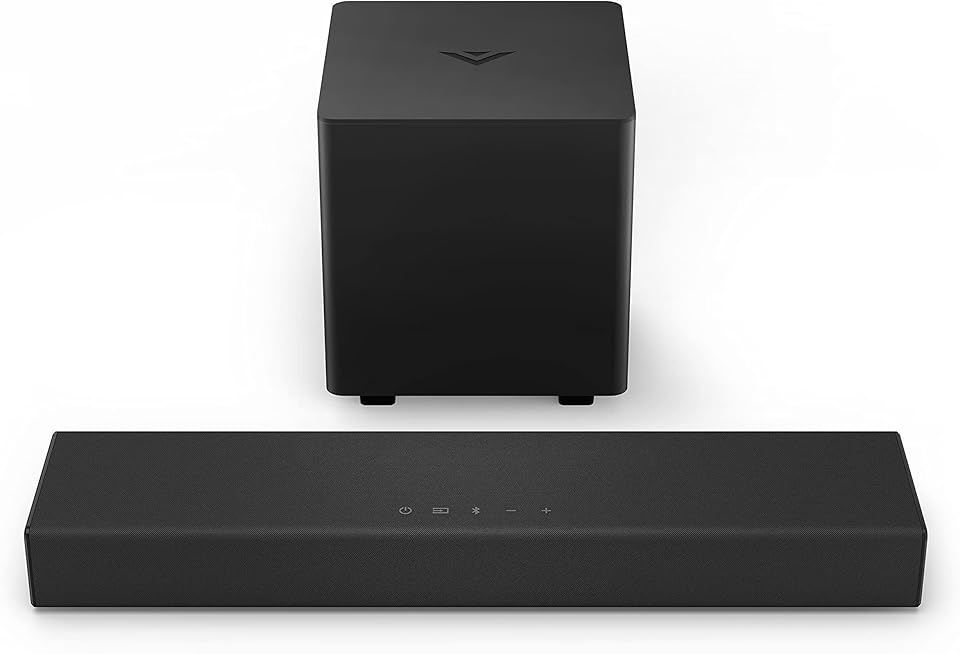
You do not need a giant multi-speaker system to hear the difference. A compact stereo bar like the VIZIO V-Series 2.0 Sound Bar shows how much a budget model now delivers. It is a 24-inch, two-channel bar with two full-range drivers, tuned with Dolby Audio and DTS Virtual:X processing to widen the soundstage, and it covers a 70 Hz-20 kHz frequency range, enough to give voices clarity and content real presence without a separate subwoofer. Its size suits small to medium rooms, exactly the spaces a budget setup usually lives in.
Connection is the part to get right. The best option is HDMI ARC (Audio Return Channel): a single HDMI cable between the TV’s ARC-labeled port and the soundbar carries audio both ways and lets your TV remote control the bar’s volume. If your TV lacks ARC, an optical (Toslink) cable is the fallback, and the VIZIO also offers Bluetooth for streaming music from a phone. For a two-channel bar like this, HDMI ARC or optical from the TV is all you need, no complicated receiver required.
Step 3: Get your network right for smooth 4K
Nothing ruins a movie night like buffering, and the culprit is almost always the network rather than the streaming box. 4K streaming asks for a reasonably fast, stable connection, most services recommend roughly 25 Mbps of sustained bandwidth for 4K content, and, just as importantly, a consistent signal to the device itself.
A few practical steps make a big difference. Put the streaming device within good range of your router, or use a mesh point or extender if the TV lives in a far corner of the house. If your streamer supports the newer standard, as the Wi-Fi 6 Fire TV Stick 4K does, it will hold up better when phones, laptops, and smart-home gadgets are all competing for the same airwaves. For the steadiest possible picture, a wired connection beats Wi-Fi every time; many streamers, including the Roku Express 4K+, support Ethernet through an optional USB adapter, which is well worth it if you can run a cable.
Two quick habits help too: place the router out in the open rather than inside a cabinet, and reboot both the router and the streaming device occasionally, an underrated fix for the drop-outs and app slowdowns that creep in over time.
Step 4: Don’t let cables be the weak link
You have bought a 4K streamer and a soundbar; now make sure a cheap cable is not throttling them. For 4K HDR video you want a High Speed HDMI cable (the “Premium High Speed” or HDMI 2.0-rated tier), which can carry 4K at 60 Hz with HDR. Ordinary older HDMI cables may only manage lower resolutions or refresh rates, causing dropped signals or a picture that quietly falls back from 4K. The good news is that a suitable cable is inexpensive, and the Roku Express 4K+ helpfully includes a premium HDMI cable in the box.
A couple of connection rules keep everything working as intended. Plug the streaming device into an HDMI port that supports its full capabilities, and use the TV’s ARC-labeled HDMI port for the soundbar so audio and volume control pass through correctly. On many TVs you also need to enable an “enhanced” or “full” HDMI mode in the settings for that specific port before it will accept a full 4K HDR signal, a small menu step that trips up a lot of new setups.
Understanding 4K and HDR (so you buy the right box)
The marketing around “4K HDR” can be confusing, so here is the plain-English version. 4K refers to resolution, roughly four times the pixels of 1080p Full HD, which gives a sharper, more detailed image, most noticeable on larger screens. HDR (High Dynamic Range) is arguably the bigger visual leap: it expands the range of brightness and color so highlights are brighter, shadows are deeper, and colors are richer. Many viewers find HDR more striking than the resolution bump alone.
HDR comes in several flavors, and this is where the two streamers differ. HDR10 is the open baseline that virtually everything supports. HDR10+ and Dolby Vision are enhanced versions that adjust the picture scene by scene for better results, Dolby Vision in particular is a premium format. The Roku Express 4K+ handles HDR10 and HDR10+ but not Dolby Vision, while the Fire TV Stick 4K supports Dolby Vision, HDR10+, and HDR10. If your TV supports Dolby Vision and you want to use it, that points you toward the Fire TV Stick.
One reality check worth stating clearly: to actually see 4K HDR, every link in the chain has to support it, the TV, the streaming device, the HDMI cable, your internet speed, and the specific content and streaming plan. A 4K streamer plugged into a 1080p TV still only shows 1080p, and a standard streaming subscription tier may cap you below 4K. There is no point paying extra for HDR formats your television cannot display, matching the box to your TV is how you avoid overspending.
Putting it all together on a budget
A complete, satisfying setup does not require buying everything at once. A sensible sequence looks like this:
- Start with the streaming device. Pick the Roku Express 4K+ for a simple, neutral interface at the lowest cost, or the Fire TV Stick 4K if you want Dolby Vision and Atmos support and Wi-Fi 6. This alone transforms an aging smart TV.
- Add a soundbar next. A compact model like the VIZIO V-Series 2.0 connected over HDMI ARC delivers the biggest quality-of-life jump after the streamer, especially for dialogue clarity.
- Tidy up the network. Position the router well, use Ethernet or Wi-Fi 6 where you can, and confirm you have the bandwidth for 4K before expecting it.
- Verify the cables and settings. Use a High Speed HDMI cable, plug into the right ports, and enable the TV’s full-4K HDMI mode.
Follow that order and each upgrade builds on the last, with no wasted spending. If you want to broaden the comparison before committing to a streamer, our guide to the best streaming devices for home entertainment in 2026 lays out the trade-offs across brands and price points.
The bottom line
Building a budget home entertainment setup is really about sequencing a few smart, affordable choices rather than chasing a big-ticket system. A capable 4K streamer fixes your interface and picture, a compact soundbar fixes your sound, and a little care with your network, cables, and settings makes sure the hardware performs to its potential. Match the streaming device’s HDR support to your TV, connect the soundbar over HDMI ARC, and you will have a living room that punches well above what you paid for it, exactly the point of a well-planned budget build.