“Should I get a Raspberry Pi or a mini PC?” is one of the most common questions in DIY computing, and the honest answer is that it depends entirely on what you are trying to build. Both are small, quiet, low-power computers that fit in the palm of your hand. But under the hood they are different animals: the Pi is an ARM-based single-board computer with a row of GPIO pins for talking to electronics, while a mini PC is a shrunken x86 desktop that runs standard Windows and Linux out of the box.
This guide compares the two families across the things that actually matter, processor and memory, storage, expansion, operating systems, power draw, and cost, and then matches them to five common project types: a home server, a media box, retro gaming, light desktop use, and learning to code. We reference specific boards and machines so you can see how the trade-offs play out in real hardware you can buy today.
The two contenders at a glance
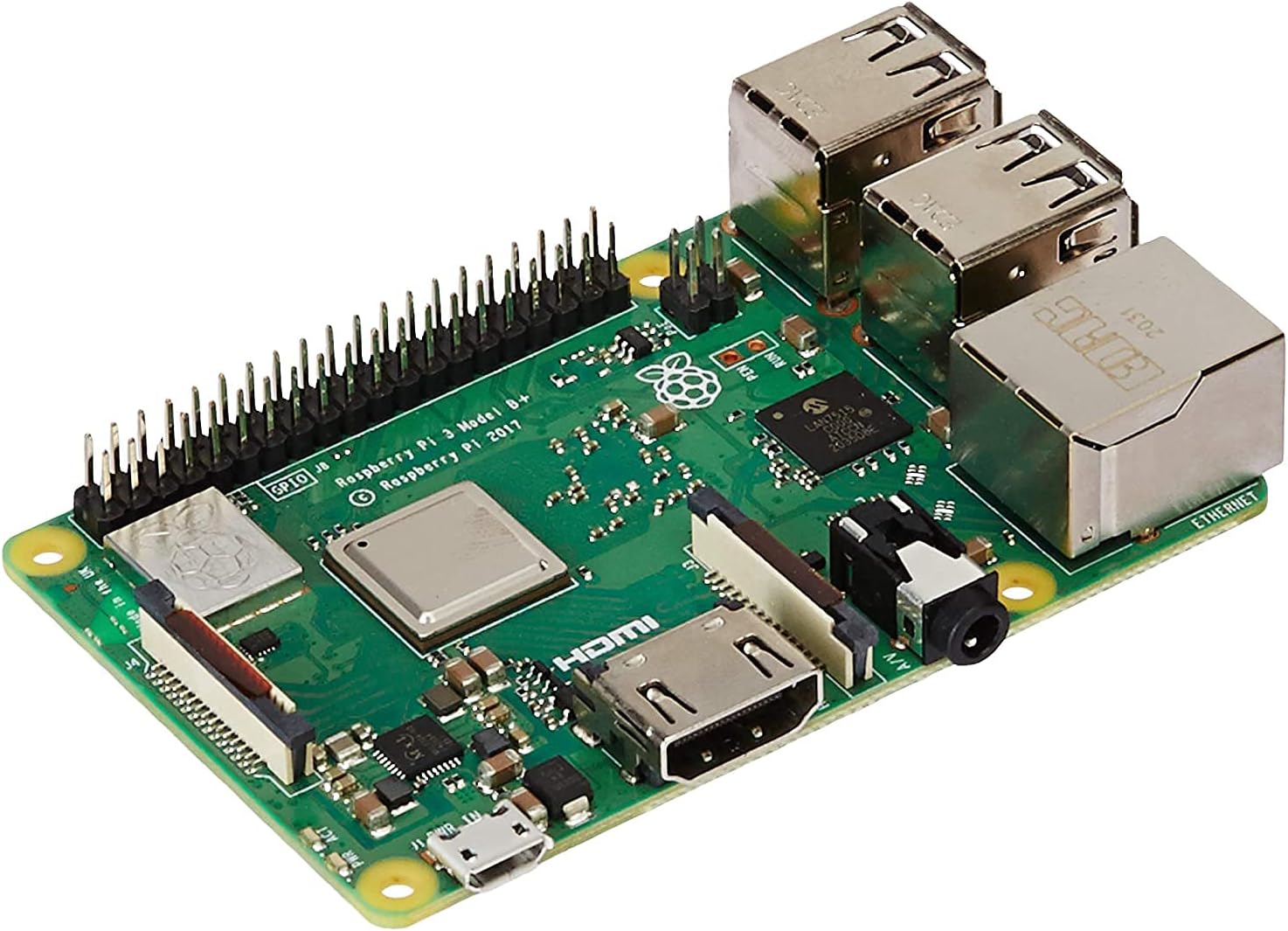
On the Pi side, a good reference point is the Raspberry Pi 3 Model B+. It pairs a Broadcom BCM2837B0 quad-core Cortex-A53 processor running at 1.4 GHz with 1 GB of LPDDR2 memory, dual-band 802.11ac Wi-Fi, Bluetooth 4.2, and a Gigabit Ethernet port (bridged over USB 2.0, so real-world throughput lands around 300 Mbit/s). It boots from a microSD card, has four USB 2.0 ports, and, crucially, exposes a 40-pin GPIO header. It sips power from a 5 V / 2.5 A micro-USB supply, typically only a few watts.
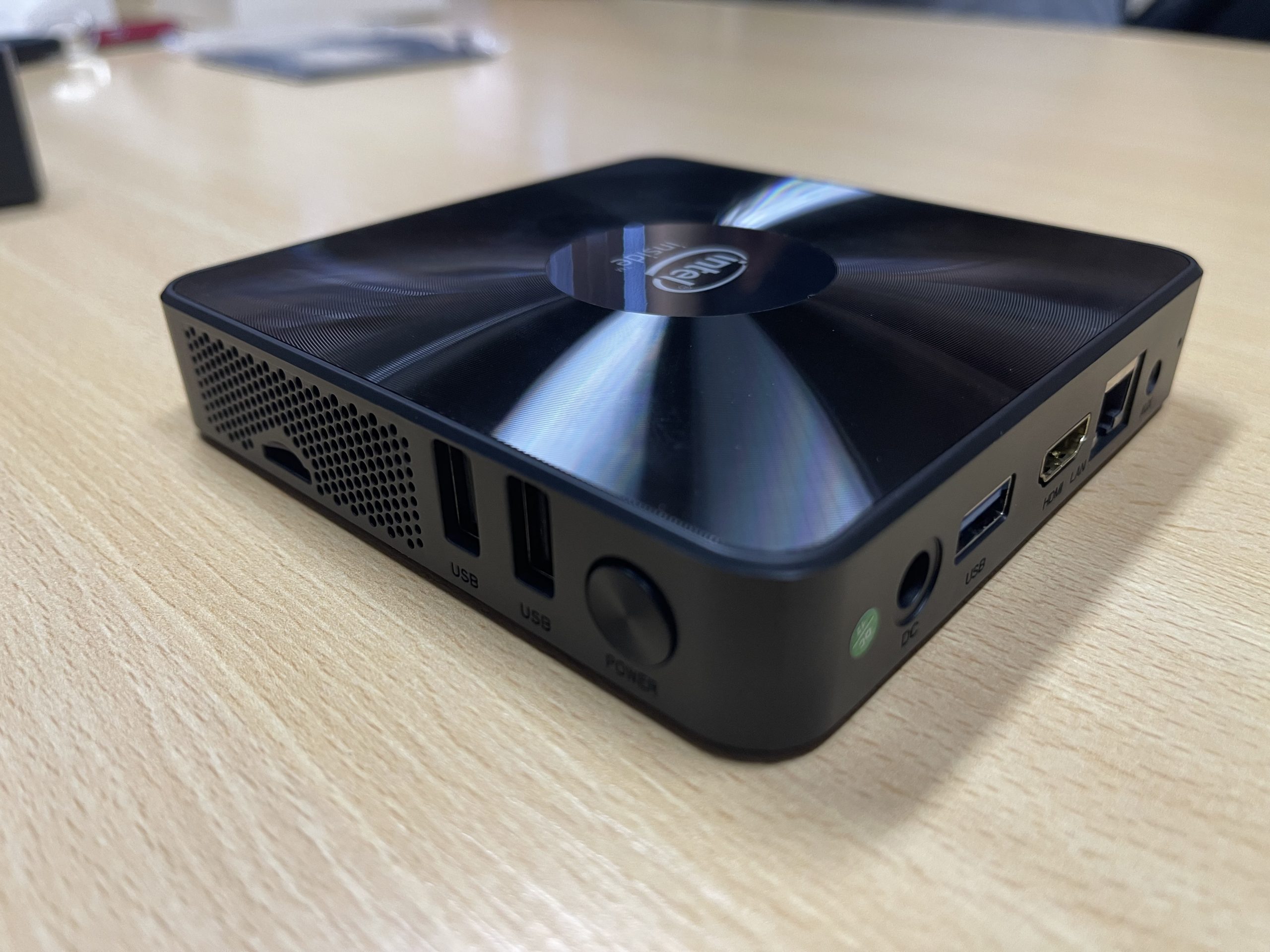
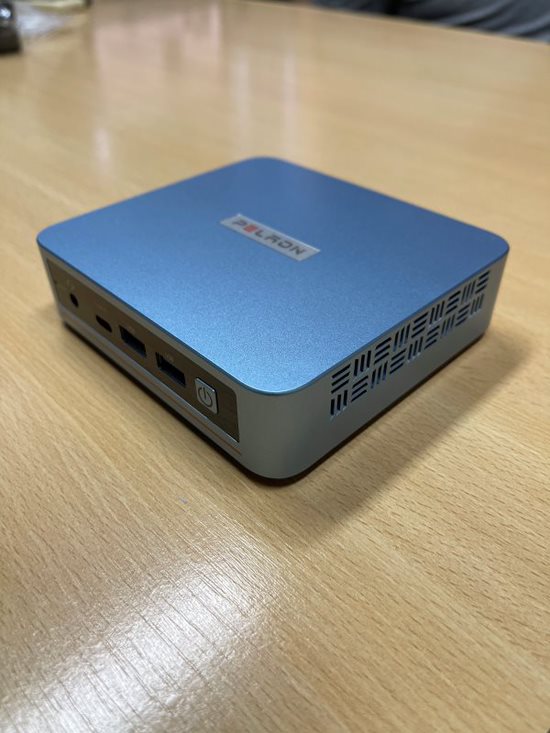
On the mini-PC side there are two useful examples at different tiers. The budget Mini PC with Intel Celeron N3350 is a fanless x86 box: the N3350 is a dual-core Apollo Lake chip (1.1 GHz base, up to 2.4 GHz burst, 6 W TDP) with Intel HD Graphics 500, commonly paired with 4 to 6 GB of RAM and 64 GB of eMMC storage, HDMI and VGA outputs, USB 3.0, Gigabit Ethernet, dual-band Wi-Fi, and Windows 10 preinstalled. A step up, the PELADN Mini PC WI6 is built around the far newer Intel N100 (a quad-core Alder Lake-N chip that bursts to around 3.4 GHz within a 6-15 W envelope), typically with 8-16 GB of DDR4, a 256-512 GB M.2 SSD, dual HDMI 2.0 plus USB-C, USB 3.2, Gigabit LAN, and Windows 11.
Specification comparison
| Spec | Raspberry Pi 3 B+ | Mini PC (Celeron N3350) | PELADN WI6 (Intel N100) |
|---|---|---|---|
| Architecture | ARM (Cortex-A53) | x86-64 | x86-64 |
| CPU | Quad-core @ 1.4 GHz | Dual-core, up to 2.4 GHz | Quad-core, up to ~3.4 GHz |
| Memory | 1 GB LPDDR2 (fixed) | 4-6 GB (often fixed) | 8-16 GB DDR4 (upgradeable) |
| Storage | microSD card | 64 GB eMMC + expansion | M.2 SSD (256 GB+), expandable |
| GPIO pins | 40-pin header (yes) | None | None |
| USB | 4x USB 2.0 | USB 3.0 | USB 3.2 + USB-C |
| Video out | HDMI | HDMI + VGA | Dual HDMI 2.0 (4K) |
| Networking | Wi-Fi ac, BT 4.2, GbE (~300 Mbit/s) | Dual-band Wi-Fi, BT, GbE | Dual-band Wi-Fi 5, BT, GbE |
| Default OS | Raspberry Pi OS (Linux) | Windows 10 | Windows 11 |
| Typical power draw | ~2-5 W | ~6 W | ~6-15 W |
| Price tier | Budget | Budget | Entry mainstream |
CPU, memory, and raw performance
The headline difference is architecture. The Pi uses ARM, the same family that powers phones, which is superbly power-efficient but means software has to be compiled for ARM. Mini PCs use x86-64, the desktop standard, so they run the same Windows and Linux binaries as a full-size PC with no compatibility asterisks.
On raw throughput, even a modest modern x86 chip pulls ahead. The Pi 3 B+’s quad-core Cortex-A53 is capable for its class, but the dual-core Celeron N3350 generally feels snappier in desktop tasks, and the quad-core Intel N100 in the PELADN WI6 is in a different league again, comfortable with multiple browser tabs, 4K video playback, and light multitasking that would bog a Pi 3 down. Memory tells a similar story: 1 GB on the Pi 3 B+ is tight for a modern desktop and best reserved for headless or single-purpose jobs, while 8-16 GB on an N100 box is genuine everyday-computer territory. (Newer Pi models such as the Pi 4 and Pi 5 close much of the gap with more RAM and faster cores, but they remain ARM machines with the Pi’s characteristic strengths.)
Storage: the quiet make-or-break factor
Storage is where a lot of first-time builders get burned, and it separates the two families sharply. The Pi 3 B+ boots and runs from a microSD card. That is cheap and convenient, but flash cards are relatively slow and can wear out under constant writes, which is why a Pi used as an always-on server or database host benefits enormously from booting to a real SSD instead.
This is exactly the kind of upgrade an adapter like the ELUTENG M.2 to SATA Adapter enables. It converts an M.2 NGFF SATA SSD (B key or B+M key, in 2230 through 2280 sizes) into a standard 2.5-inch SATA drive at up to 6 Gbps, supporting capacities up to 4 TB, so you can repurpose an inexpensive M.2 SATA stick as fast, durable storage for a Pi-based NAS or media server via a USB-to-SATA bridge. One important caveat: that adapter is for M.2 SATA drives only, not NVMe/PCIe SSDs, a distinction worth double-checking before you buy a drive.
Mini PCs have the edge built in. The Celeron N3350 box ships with 64 GB of eMMC (soldered flash that is faster and more reliable than a microSD card) plus room to expand, and the PELADN WI6 goes further with a proper M.2 SSD slot for 256 GB or more of fast, upgradeable storage. If your project involves lots of disk activity, a mini PC starts on firmer ground.
GPIO and the hardware question
Here is the single feature that most often settles the debate. The Raspberry Pi’s 40-pin GPIO header lets it talk directly to electronics: sensors, motors, LEDs, relays, displays, and countless HATs (add-on boards). If your project involves reading a temperature sensor, driving a robot, building a weather station, or wiring up a retro arcade panel, the Pi is not just the better choice, it is often the only sensible one. Mini PCs have no GPIO at all; they are computers, not maker boards.
Flip the requirement, though, and the logic reverses. If your project never touches a wire, a NAS, a Plex server, a small desktop, the GPIO is irrelevant and you are better served by the mini PC’s stronger CPU, more RAM, and native x86 software support.
Operating systems and software
The Pi runs Raspberry Pi OS (a Debian-based Linux) as its default, with a huge community of ARM-compatible distributions and project images, everything from Pi-hole to Home Assistant to RetroPie ships as a ready-to-flash card image. That ecosystem is one of the Pi’s greatest assets. The trade-off is that Windows is not a practical option, and the occasional app that only exists as an x86 binary simply will not run.
Mini PCs invert that. They arrive with Windows 10 or 11 and will happily run any mainstream Linux distribution too, giving you the entire x86 software catalog, desktop apps, games, and server tools alike, without worrying about architecture. For anyone who wants a familiar desktop that “just works,” that is a decisive convenience.
Power draw, cooling, and noise
All of these machines are frugal compared to a tower PC, which is the point. The Pi 3 B+ is the most efficient, drawing only a few watts, ideal for something that runs 24/7. The N3350 mini PC sits around a 6 W TDP and is typically fanless and silent. The more powerful N100 in the PELADN WI6 has a higher ceiling (roughly 6-15 W depending on load) and may include a small fan, still whisper-quiet, but it does more work for those watts.
Cooling is worth a word for the Pi specifically. Under sustained load an unenclosed Pi can throttle as it heats up, so builders who push theirs, media transcoding, emulation, compiling, often add a heatsink case. A passively cooled enclosure such as the Vilros Raspberry Pi 4 Aluminum Alloy Case turns the entire chassis into a heatsink, keeping clock speeds stable without a fan or its noise. (As the name says, that particular case is designed for the Pi 4’s board layout, so match any case to your exact Pi model.) Mini PCs handle their own thermals in the box, one less thing to think about.
Cost: look past the sticker price
The Pi’s board price looks cheap, but a fair comparison counts the extras. A working Pi needs a power supply, a microSD card, and often a case, and if you want SSD reliability, a drive and an adapter too. Add those up and a Pi build can land close to a budget mini PC that already includes storage, RAM, a case, a power supply, and a Windows license in the box.
That does not make the Pi a bad deal, its value is in flexibility and GPIO, not just price, but it does mean “the Pi is cheaper” is not automatically true once a project is fully equipped. For a plain computing task with no electronics, a budget mini PC frequently delivers more usable performance per dollar.
Matching the machine to the project
Home server / NAS. Either works, but the deciding factor is disk and network load. A light Pi-hole or Home Assistant box is a perfect Pi job, especially booted to an SSD via an M.2 SATA adapter for reliability. For a busier file server or anything doing real transcoding, the stronger CPU and native SATA/M.2 storage of a mini PC like the PELADN WI6 pull ahead.
Media center. For 1080p playback and a lightweight interface, a Pi is a tidy, low-power choice. For smooth 4K, a modern codec range, and the option to run Windows media apps, an N100 mini PC with dual HDMI 2.0 is the safer bet.
Retro gaming. This is a Pi stronghold. RetroPie and similar images make it a plug-and-play emulation console, and the GPIO lets you wire real arcade controls. A mini PC can emulate more demanding, later-generation systems thanks to its stronger CPU, but the Pi wins on ecosystem, price, and hackability for classic consoles.
Light desktop. If someone needs a real everyday computer for web, email, documents, and video, a mini PC is the clear answer, ideally an N100 machine with 8 GB or more of RAM. A Pi can serve as a basic desktop but feels constrained, especially the 1 GB Pi 3 B+.
Learning to code and electronics. The Pi is purpose-built for this. Its GPIO, enormous tutorial ecosystem, and low stakes (reflash the card and start over) make it the definitive learning platform, particularly for anyone who wants to combine software with real-world hardware.
The bottom line
Choose a Raspberry Pi when your project touches hardware, when you want to learn, when you love the tinkering ecosystem, or when ultra-low power draw for an always-on gadget matters most, and budget for a decent case and, ideally, SSD storage to get the best from it. Choose a mini PC when you need raw x86 performance, more memory, native Windows or the full Linux software catalog, and storage that is fast and durable out of the box, stepping from a budget Celeron N3350 unit up to an Intel N100 box as your performance needs grow. They are not really rivals so much as two different tools; the right question is not which is better, but which fits the thing you are actually building.